






Syncfusion is trusted by the world’s leading companies

Trusted companies
Trusted companies

Understanding the key features of the React Data Table

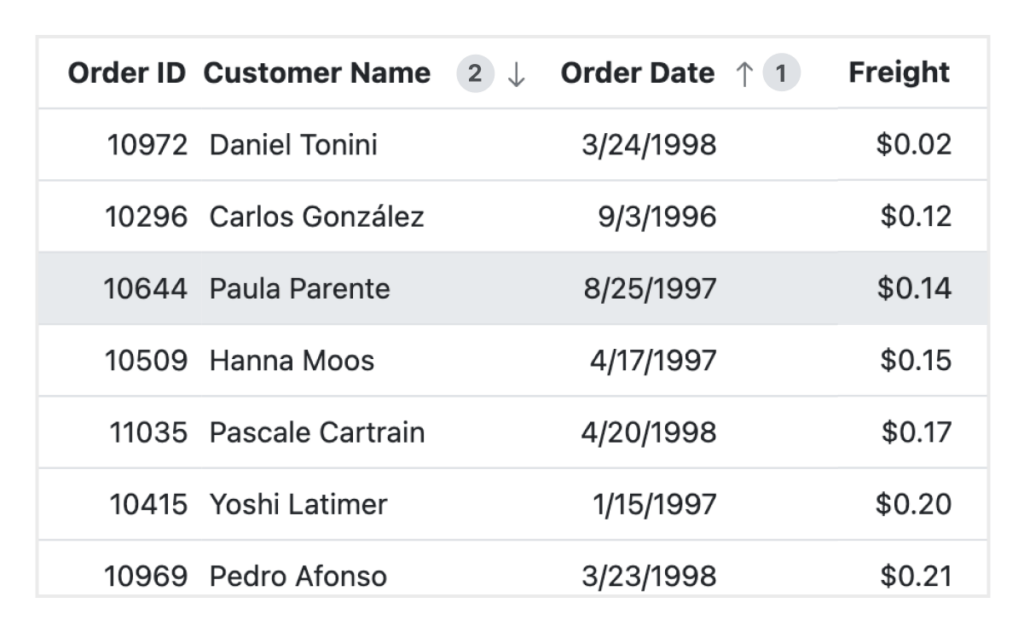
SORTING AND FILTERING

Refine data with intuitive filters

Powerful sorting and filtering functionalities allow users to organize their data exactly as needed:

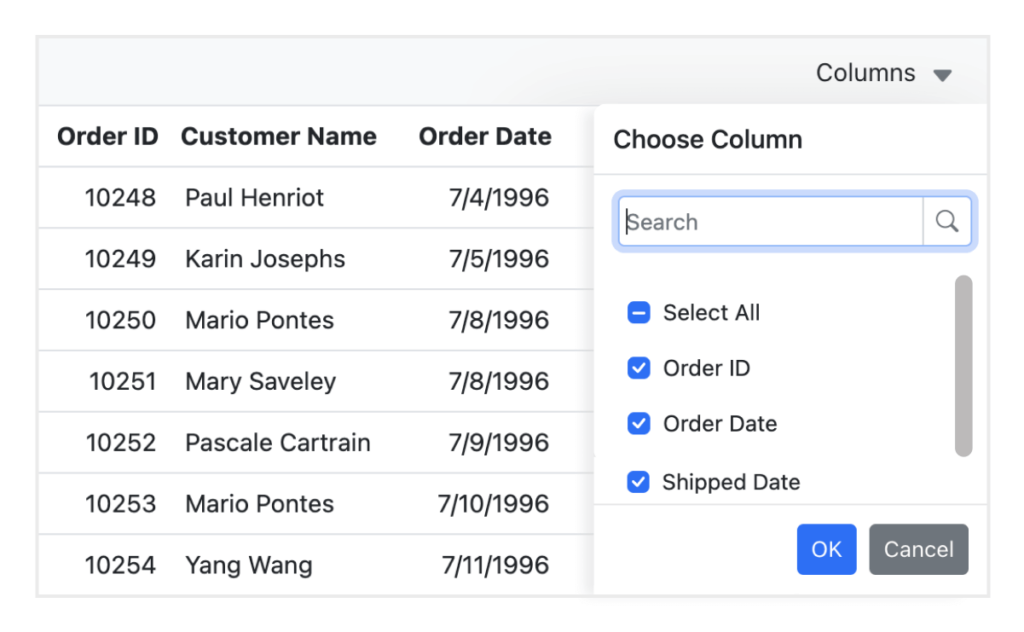
CUSTOMIZABLE COLUNMS

Flexible columns for personalized views

The React Data Table provides helpful column customization features:

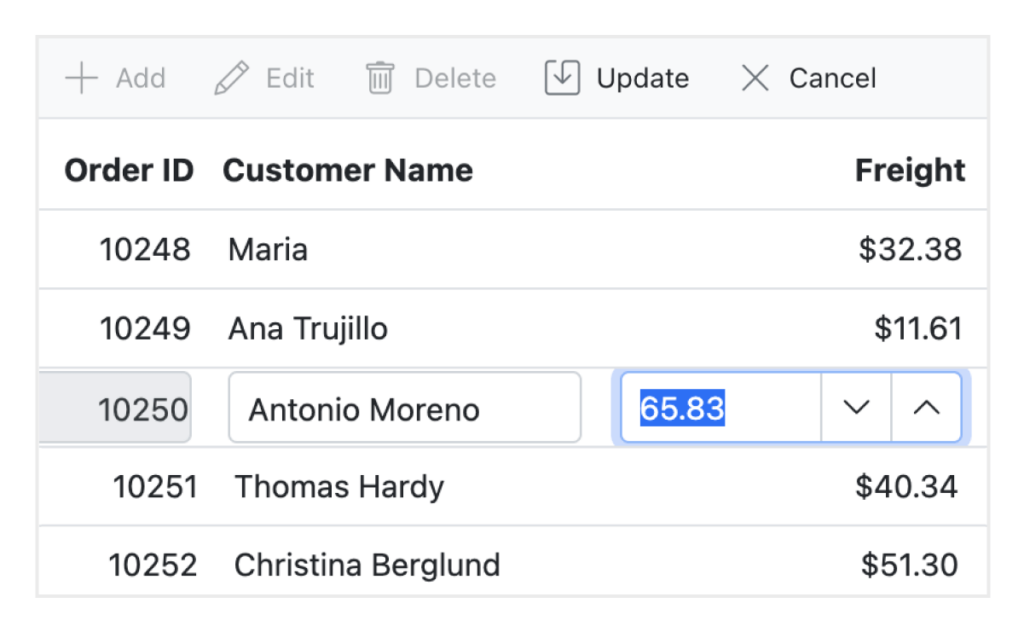
EDITING

Edit directly for instant changes

Users can easily update data with in-table editing:

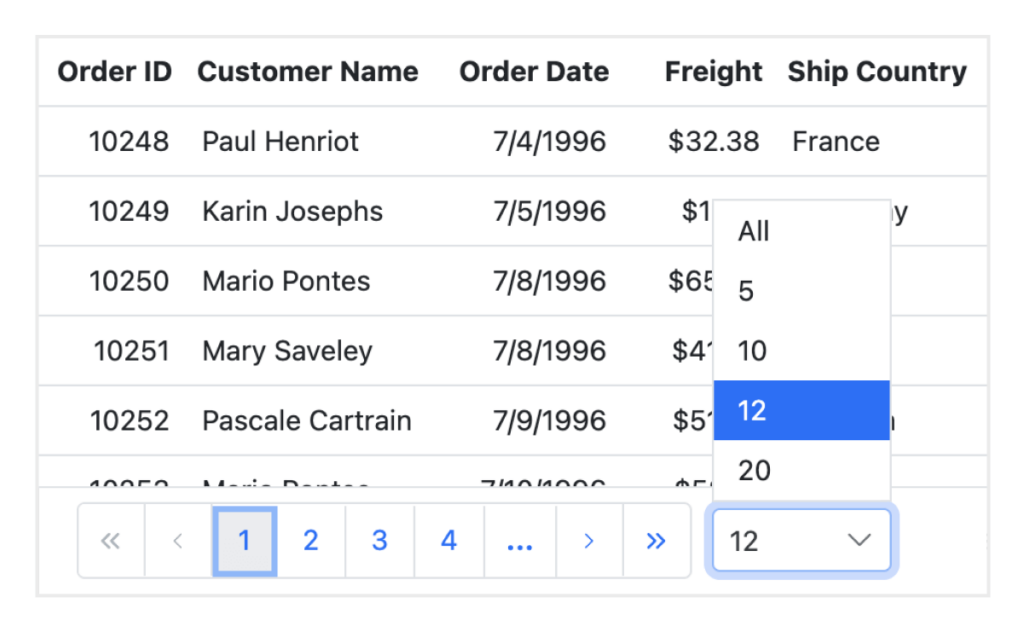
PAGING & VIRTUAL SCROLLING

Streamline the performance of large datasets

Handle large datasets effortlessly with paging and virtual scrolling features:

SELECTION

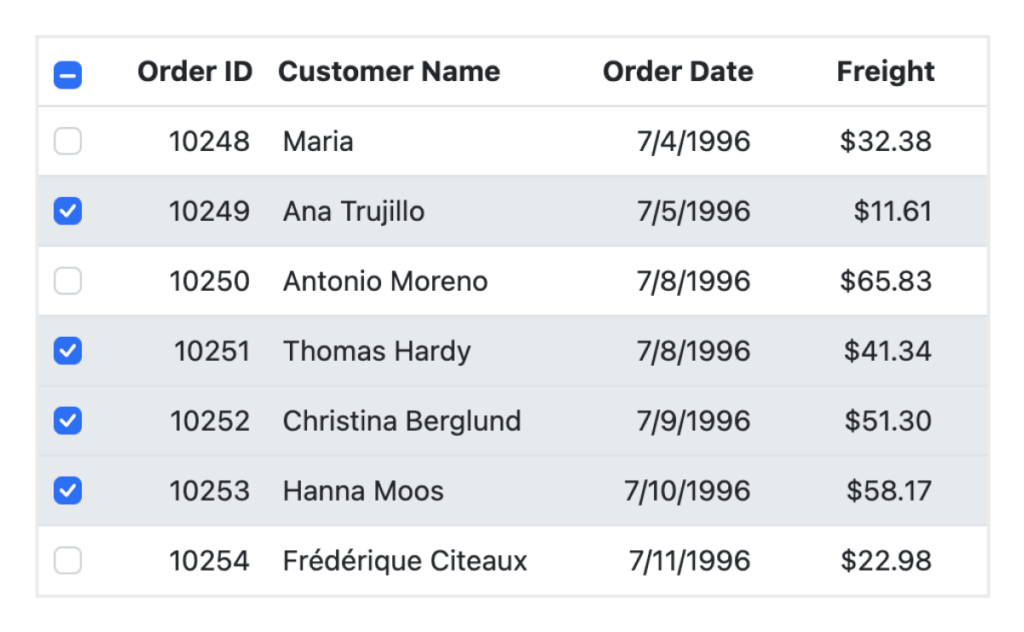
Easily select items to perform actions on them

ADAPTIVE AND RESPONSIVE

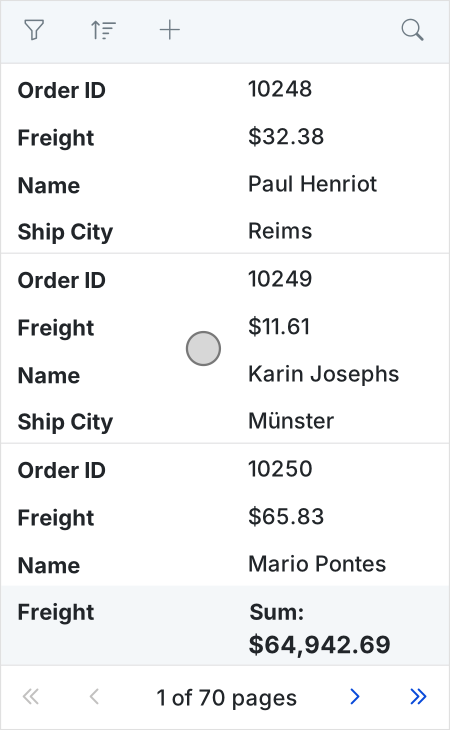
Adjusts seamlessly across all devices

The component is fully responsive, ensuring that the Data Table works on any screen size, from desktops to mobile devices. Its UI adapts to deliver a consistent and optimized user experience across devices.

React Data Table Code Example

In the following example, we demonstrate how to set up a basic React Data Table with paging, sorting, and customizable columns:

				import React from 'react';
import { DataTableComponent } from '@syncfusion/ej2-react-grids';
import { data } from './dataSource';

function App() {
  return (
    <DataTableComponent 
      dataSource={data} 
      allowPaging={true} 
      allowSorting={true}
      columns={[
        { field: 'ID', headerText: 'ID', width: 120, textAlign: 'Right' },
        { field: 'Name', headerText: 'Name', width: 150 },
        { field: 'Age', headerText: 'Age', width: 100, textAlign: 'Right' },
        { field: 'Country', headerText: 'Country', width: 150 },
      ]}
    />
  );
}
export default App;
			

Additional Features

These React Data Table features enhance performance and usability to ensure users a seamless experience with their data.

Export to Excel CSV

Export to Excel and CSV

Easily export data to popular formats such as Excel or CSV to enable users to download and share data for offline access and reporting.

High Performance

High Performance

The React Data Table is designed for performance, ensuring smooth interactions even with massive datasets. Features like virtual scrolling and lazy loading help maintain speed and responsiveness.

React accessibility

Accessibility

The component is compliant with accessibility standards such as WCAG. This ensures that all users, including those with disabilities, can interact with the Data Table.

Showcase Demos

See how our React Data Table can become the focal point of beautiful, efficient apps.

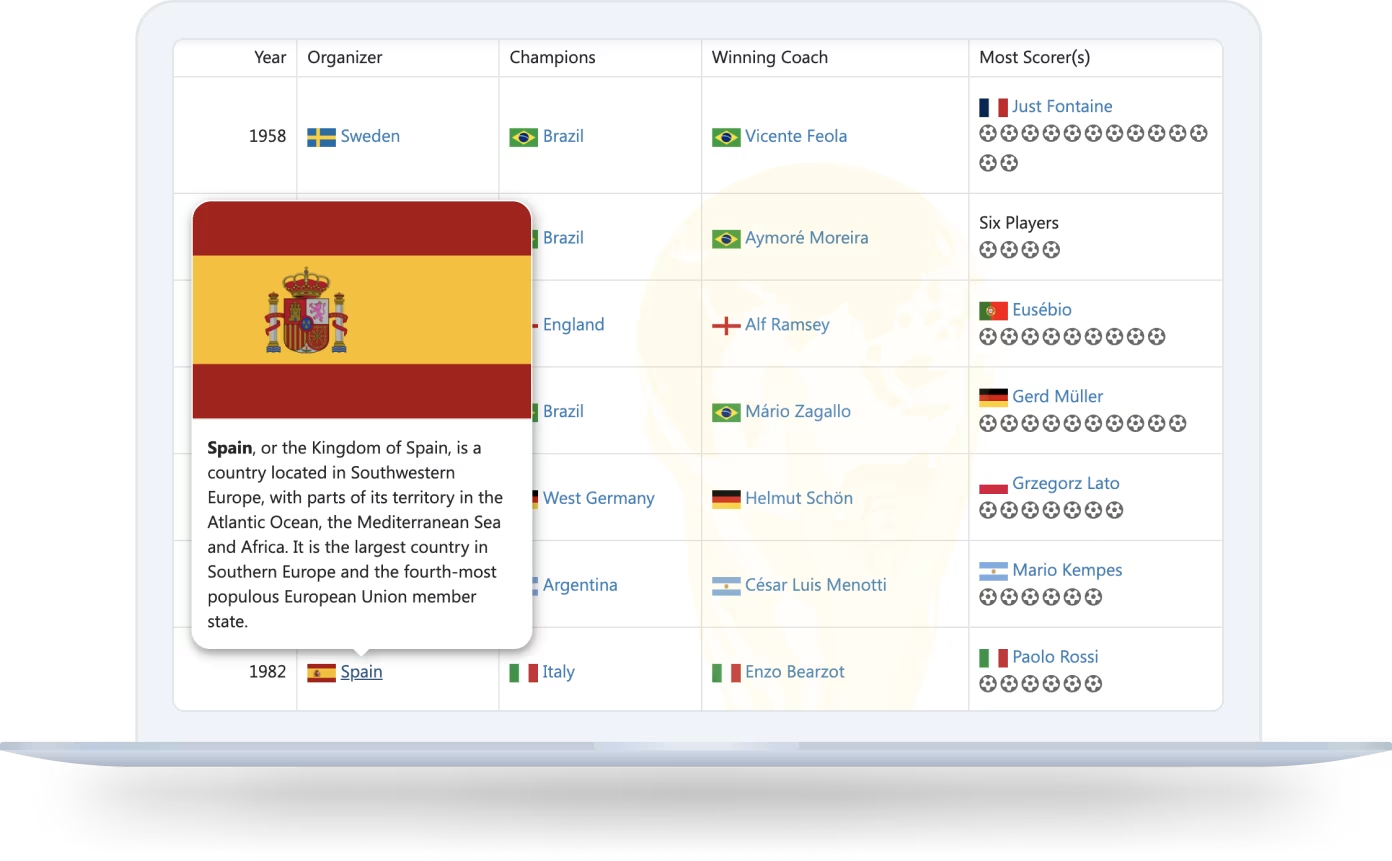
FIFA STATS

FIFA World Cup Insights

Explore the rich history of the FIFA World Cup with our interactive data table. This demo showcases detailed statistics from 1930 to 2022, powered by data sourced from Wikipedia.

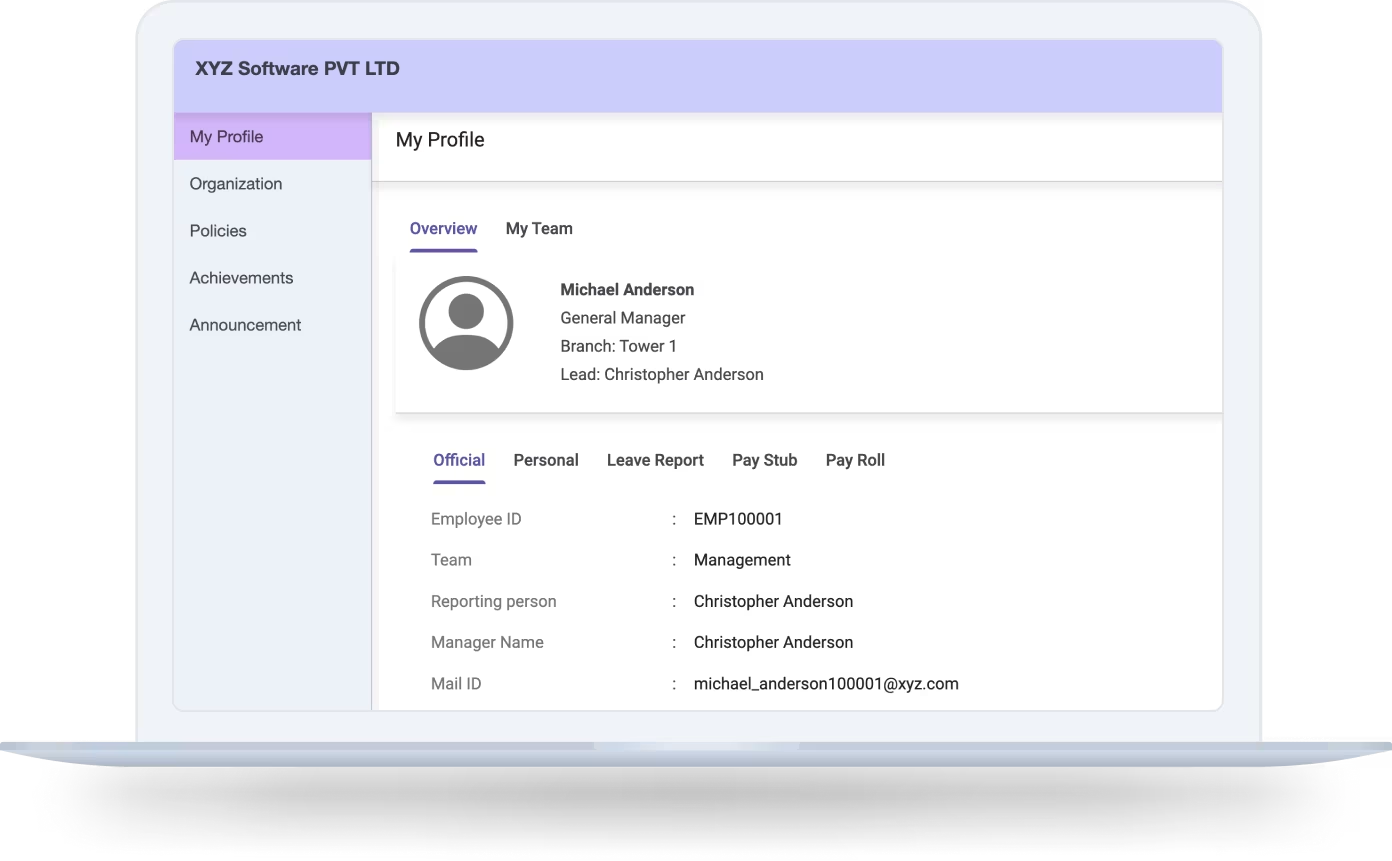
EMPLOYEE MANAGEMENT

Enhance your workforce oversight

Explore the rich history of the FIFA World Cup with our interactive data table. This demo showcases detailed statistics from 1930 to 2022, powered by data sourced from Wikipedia.

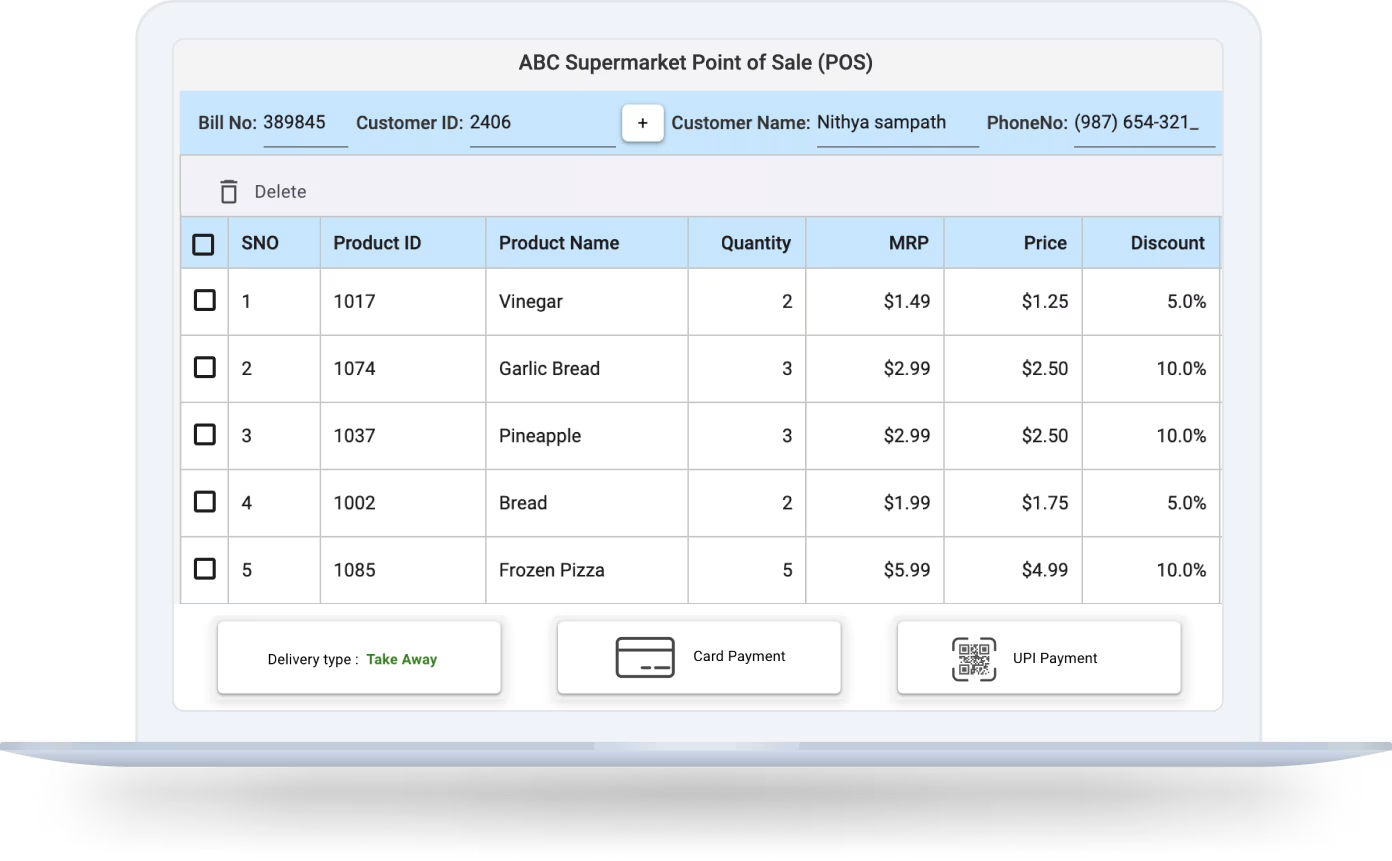
SUPER MARKET BILLING

Elevate your retail experience

Unlock the potential of the React Data Table for supermarket billing systems. This innovative solution simplifies transaction handling, inventory oversight, and customer relations, equipping retailers with the resources needed to increase sales and better serve customers.

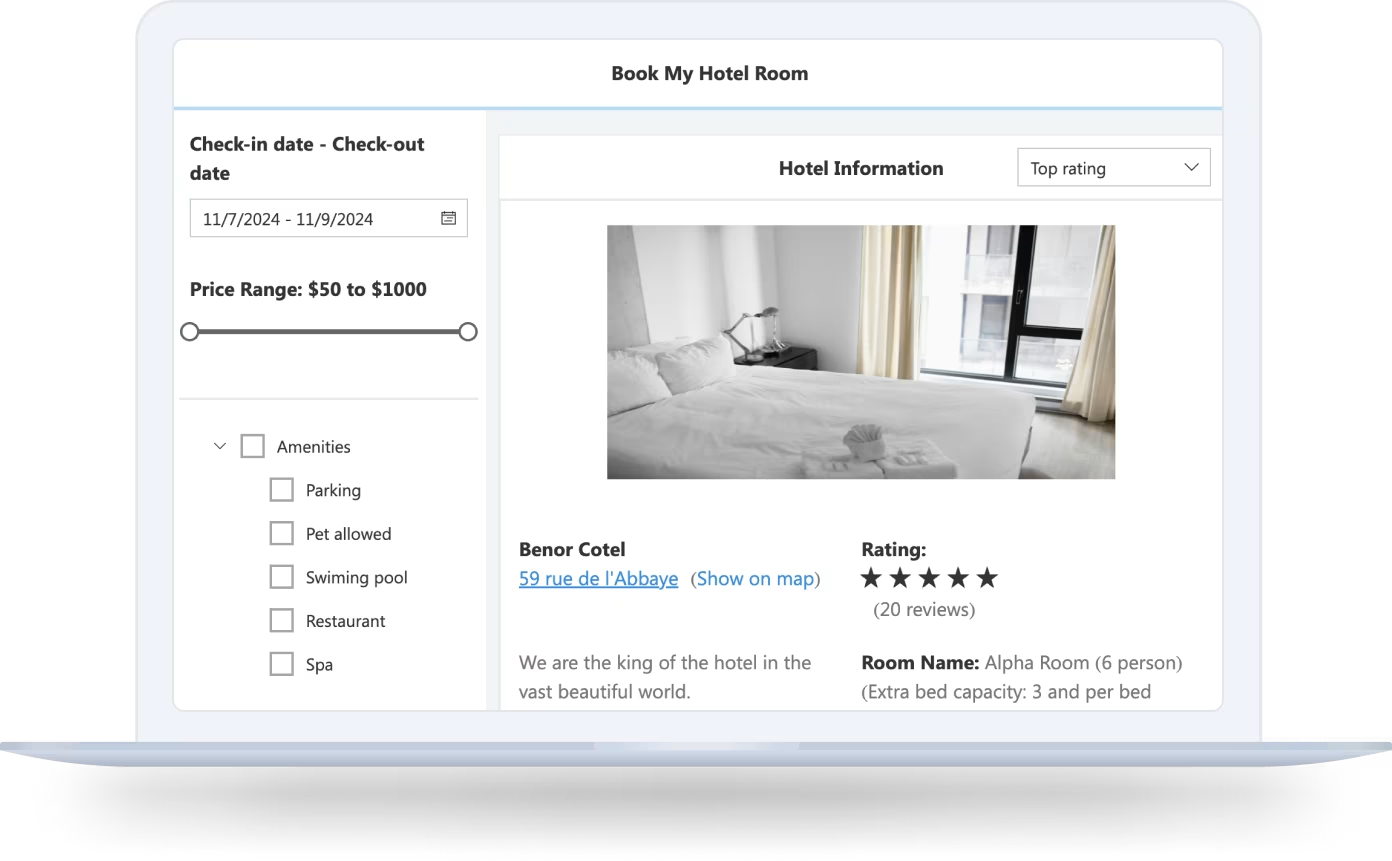
HOTEL MANAGEMENT

Transform your hospitality operations

The React Data Table provides a user-friendly interface for hotel management, enabling efficient bookings, room assignments, and customer relationship handling. Improve guest satisfaction and optimize your hotel operations with this all-encompassing solution.

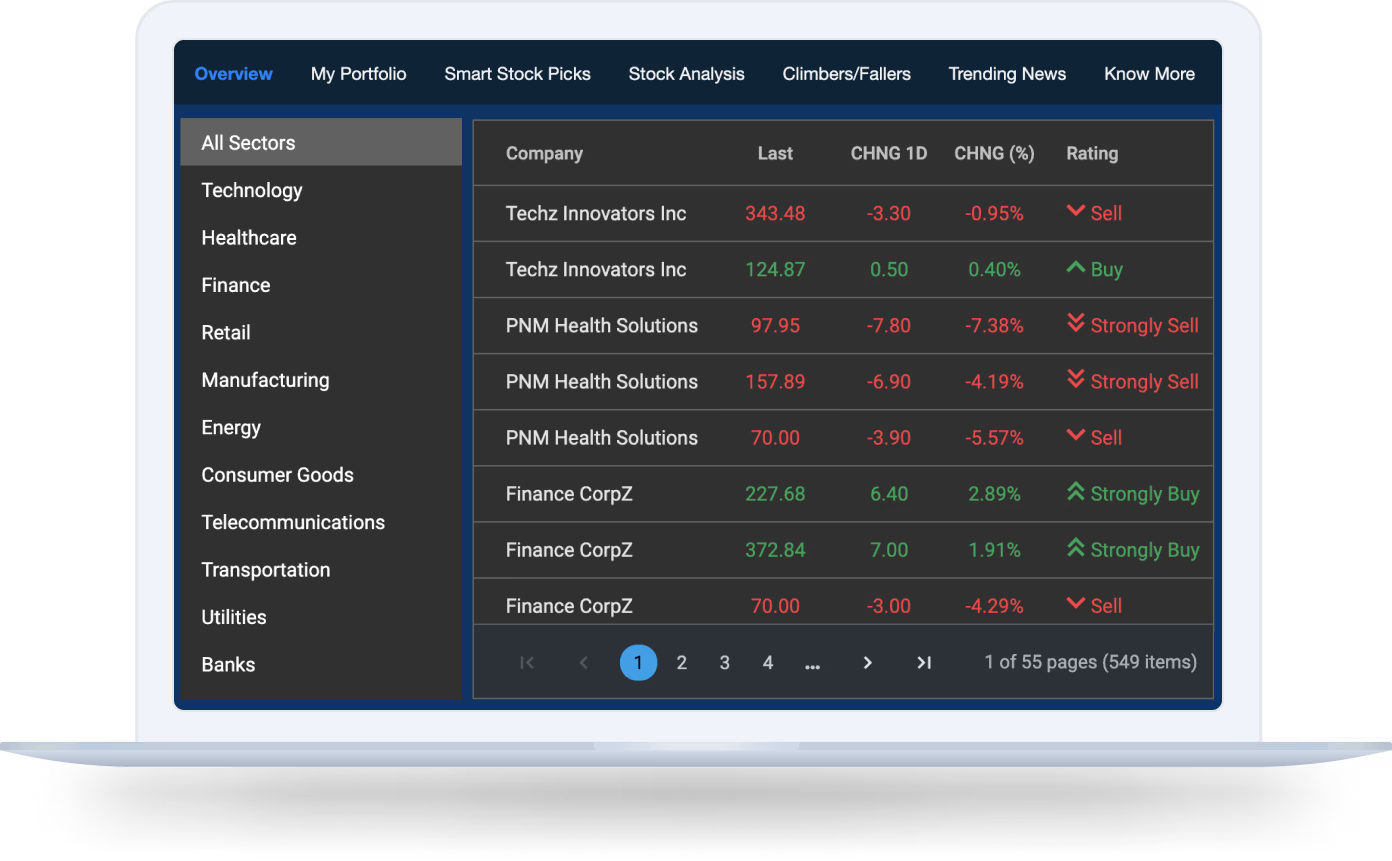
STOCK MANAGEMENT

Master your inventory

Implement the React Data Table for superior stock management by leveraging real-time tracking, inventory forecasting, and supplier coordination. Your business will maintain ideal stock levels while minimizing excess inventory costs.

Frequently Asked Questions

What is the React Data Table used for?

The Syncfusion React Data Table is a UI component designed for displaying, managing, and interacting with large datasets in a structured and efficient manner. It offers features like sorting, filtering, editing, and exporting, making it ideal for building data-driven applications.

Yes, the React Data Table is fully responsive, ensuring that it adapts to any screen size, from desktops to mobile devices, providing a consistent and optimized user experience.

Yes, the React Data Table allows users to export data to formats such as Excel and CSV, making it easy to share data offline or perform further analysis.

No, this is a commercial product that requires a paid license. However, a free Community License is available for individuals and companies with less than $1 million USD in annual gross revenue, 5 or fewer developers, and a total of 10 or fewer employees.

Syncfusion React Data Table Resources

Explore these resources for comprehensive guides, knowledge base articles, insightful blogs, and ebooks.

Our Customers Love Us

Having an excellent set of tools and a great support team, Syncfusion reduces customers’ development time.
Here are some of their experiences.

See Real Success Stories

Developers around the world trust Syncfusion’s Essential Studio to simplify complex projects and speed up delivery. With a vast library of UI controls, powerful SDKs, and reliable support, Essential Studio helps teams build enterprise-ready applications with confidence.

Explore Case Studies

Build Stunning Real-World Apps using React UI Components

No credit card required.

Awards

Greatness—it’s one thing to say you have it, but it means more when others recognize it. Syncfusion is proud to hold the following industry awards.

mobile-Awards